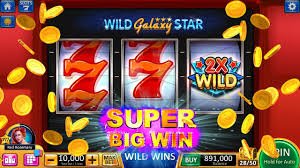
The bb777 app experience runs through your mobile browser — open bb777 on your phone and the full lobby loads directly, no separate install required on most devices. Your account, game catalog, and wallet are all accessible from the same session. Availability depends on local law and eligible regions in Pakistan.
If something is not loading right on your device or you need help with your account after logging in through the bb777 app, our support team is reachable through the channels below. Each channel routes directly to the team handling mobile and account queries — use whichever fits your situation. For login recovery and wallet questions, the live chat path usually gets you a faster response than email.
App Support Chat
Open the live chat icon from the bb777 app lobby footer. It connects you directly to the support team for device access questions, account login help, and session issues. Available through the browser session without a separate app.
Email Support
Send your query — including your registered account details and a description of the device or browser issue — to the support email listed on the Contact page inside your bb777 account. Response times vary and are shown on that page.
Mobile Access Guide
The Help section inside your logged-in account carries a device access page. It covers browser settings, screen layout adjustments, and the steps to bookmark bb777 for quicker return visits from your phone home screen.
MOBILE ACCOUNT SAFETY
Keeping Your bb777 Account Secure on Mobile
Accessing bb777 through a mobile browser carries the same account security requirements as desktop. Verifying the domain, protecting your login credentials, and using the published recovery path are the three steps that keep your session safe. We do not store your payment details on the device — your Raast and Debit Card information is handled through the account wallet, not the browser cache.
Verify the Domain
Always confirm you are on bb777 before entering your login details. Bookmark the verified URL from your first confirmed session. The address bar on your mobile browser is the fastest check — look for the correct domain spelling before you type anything.
Review Device Guidance
The published device guidance page in your account lists the browsers and screen sizes where the bb777 app layout has been confirmed to render correctly. Check it if the game lobby or navigation menu is not displaying as expected on your phone.
Protect Your Login
Do not save your bb777 password in a shared device browser. Use a strong, unique password and follow the account security steps shown in your profile settings. The recovery path — email verification — is documented inside the Help section of your account.
Published Recovery Path
If you lose access to your account on mobile, use the password reset link on the login page. It routes through your registered email address. All steps and required fields are shown in the reset flow itself — follow what the screen presents rather than third-party instructions.
INSIDE THE APP
What the bb777 App Gives You on Mobile
The bb777 mobile experience is built around the browser — visit bb777 from your phone and the lobby loads with a layout designed for smaller screens. Navigation sits in a bottom bar or a compact top menu depending on your browser and device orientation, so you can move between slots, live casino tables, and the sportsbook without losing your place. The game discovery section shows categories — crash games like Crash Drift and Crash Energy, live dealer tables, and slots — filtered by the studios we carry. Your account wallet is accessible from the header once you are logged in, and the Help page is reachable from the same menu. The current state of any active account items is shown in your account dashboard after login. Game availability and access depend on local law and eligible regions in Pakistan.
APP PAGE FEATURES
Mobile Browser Features on bb777
These are the confirmed page behaviors you get when you access bb777 through a mobile browser. Each one is visible in your session after login — no separate download required to see them in action.
Responsive Game Lobby
The lobby reflows to your screen width automatically. Category rows stack vertically on phones, and game tiles scale to fit without cutting off titles. You can scroll the catalog the same way you would on desktop — swipe or tap to open a game directly from the row.
Account Wallet Access
Your account wallet — including Raast and Debit Card transaction records — is accessible from the header menu after login. The balance shown there reflects the current state of your account. Deposits and withdrawal requests follow the same steps shown in the wallet section.
Live Table Navigation
The live casino section loads within the same browser session. Tables from studios like PG Soft and CQ9 appear in the live lobby row. You can filter by table type or browse the full live section — the layout stays responsive across standard mobile screen sizes.
Help and Account Routes
Support chat, account settings, and the Help page are all reachable from the mobile menu without leaving your current session. The app does not require a separate support login — your account session carries over to the Help section automatically when you tap through.
THREE STEPS ACCESS
Mobile Access in 3 Steps
Getting into the bb777 lobby on your phone does not require a separate app store download. The steps below cover the browser path that works on standard Android and iOS devices. If you hit a step where the page looks different from what is described, the device guidance page inside your account has the current browser recommendations.
Open bb777 in Your Browser
Type bb777 directly into your mobile browser address bar or use a saved bookmark from a previous verified session. Confirm the domain is correct before proceeding. Chrome on Android and Safari on iOS both load the site without additional settings on most devices.
Check Browser Compatibility
If the game lobby or account menu is not rendering correctly, open the device guidance page from the Help section. It lists the confirmed browser versions and screen orientations. Landscape mode on smaller phones sometimes improves the live table layout.
Sign In and Verify Your Session
Enter your registered email and password on the login screen. The fields and any verification steps shown there are the ones to follow. After login, your wallet balance and game access appear in the header and lobby respectively — those are the two markers that confirm your session is active.
Bookmark for Return Visits
Once you have confirmed the correct domain and completed a successful login, save bb777 to your phone home screen using the browser's share or bookmark option. This saves the verified URL for your next visit without typing it again.
DEVICE COMPATIBILITY CHECK
Which Devices Work with bb777 App
Browser-based access means compatibility depends on your browser version and network connection rather than a specific device model. The points below cover what to check before your first session and where to find current information if something is not working.
Browser Access
Standard mobile browsers — Chrome on Android, Safari on iOS — load the bb777 lobby without additional configuration on most current devices. The device guidance page in your account shows any specific browser version notes published at the time you check it.
Screen Layout
The responsive layout is confirmed for standard portrait and landscape orientations on phones and tablets. Very small screen widths may compress the navigation row — switching to landscape or using a tablet resolves this on most devices where it occurs.
Account Requirements
An active, verified bb777 account is required to access the game lobby and wallet on mobile. Account creation and verification steps are shown in the registration flow. Access is subject to eligibility and local law in Pakistan.
Currently Supported Devices
Rather than a fixed device list here, we keep the current device and browser information on the Help page inside your account — it reflects the most up-to-date state. Check that page if you are unsure whether your specific phone or browser version is supported.
Network and Connection
Live dealer tables and crash games like Crash Energy require a stable connection to load without interruption. A standard mobile data connection handles the lobby and slots; live tables perform better on a reliable Wi-Fi or 4G connection.
APP FAQ
Common Questions About the bb777 App
These are the questions we see most from people accessing bb777 on their phones for the first time or returning after a gap.
Is there a bb777 app I can download from the Play Store or App Store?
The bb777 app experience runs through your mobile browser at bb777 — no app store listing is currently required to access the lobby on Android or iOS. Whether a native app build is available at any given time is shown in the app section of your account. Check there for the current state.
Why is the bb777 app lobby not loading properly on my phone?
Start by confirming you have the correct domain — bb777 — in your browser address bar. Then check the device guidance page inside your account for browser version notes. Clearing your browser cache or switching from portrait to landscape orientation resolves display issues on many devices.
Can I access my wallet and Raast payment records through the bb777 app on mobile?
Yes. Your account wallet — including any Raast and Debit Card transaction records — is accessible from the account menu after you log in through the mobile browser. The balance and transaction history shown there reflect the current state of your account.
Do I need a separate login for the bb777 app on mobile?
No. Your existing bb777 account credentials work on mobile the same way they do on desktop. Enter your registered email and password on the login screen at bb777. The verification steps shown there are the ones to follow — there is no separate mobile account or mobile-specific password.
Which games are available on the bb777 app for Pakistan users?
The full game catalog — including crash games like Crash Drift and Crash Energy, live casino tables, and slots from studios like PG Soft, CQ9, and JDB — is available through the mobile browser session. Game access depends on local law and eligible regions. PSL and cricket markets are also in the sportsbook section.
How do I save bb777 to my phone home screen for faster access?
After confirming you are on the verified bb777 domain and completing a successful login, use your browser's share or add-to-home-screen option. On Safari, tap the share icon and select Add to Home Screen. On Chrome, tap the three-dot menu and select Add to Home Screen or Install App.
 Live / Casino